
Components
Add Conversation experiences to your iOS app using the OWUIComponents protocol

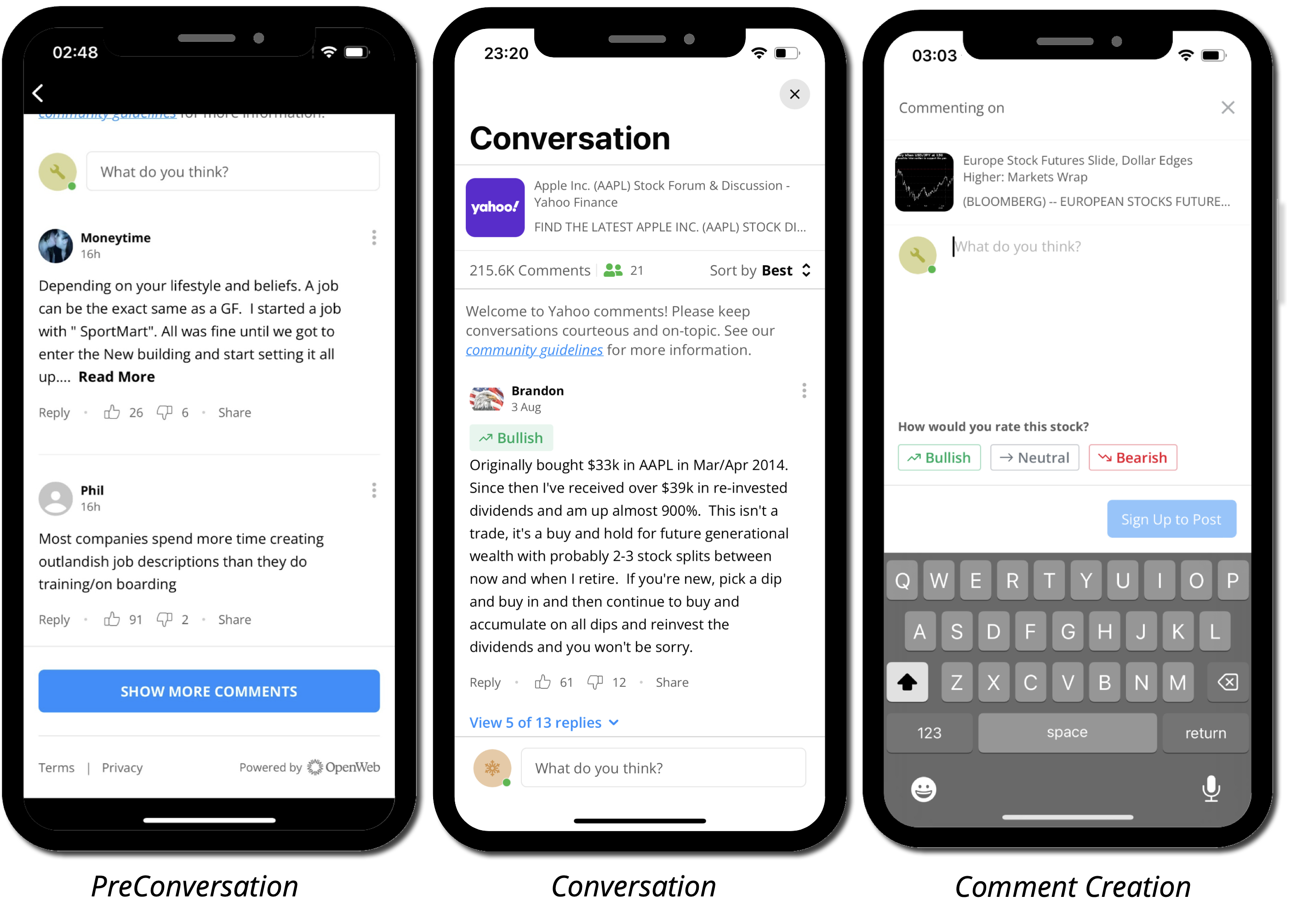
Incorporate conversation module components into your app, including PreConversation, Full Conversation, Comment Thread, and Comment Creation.
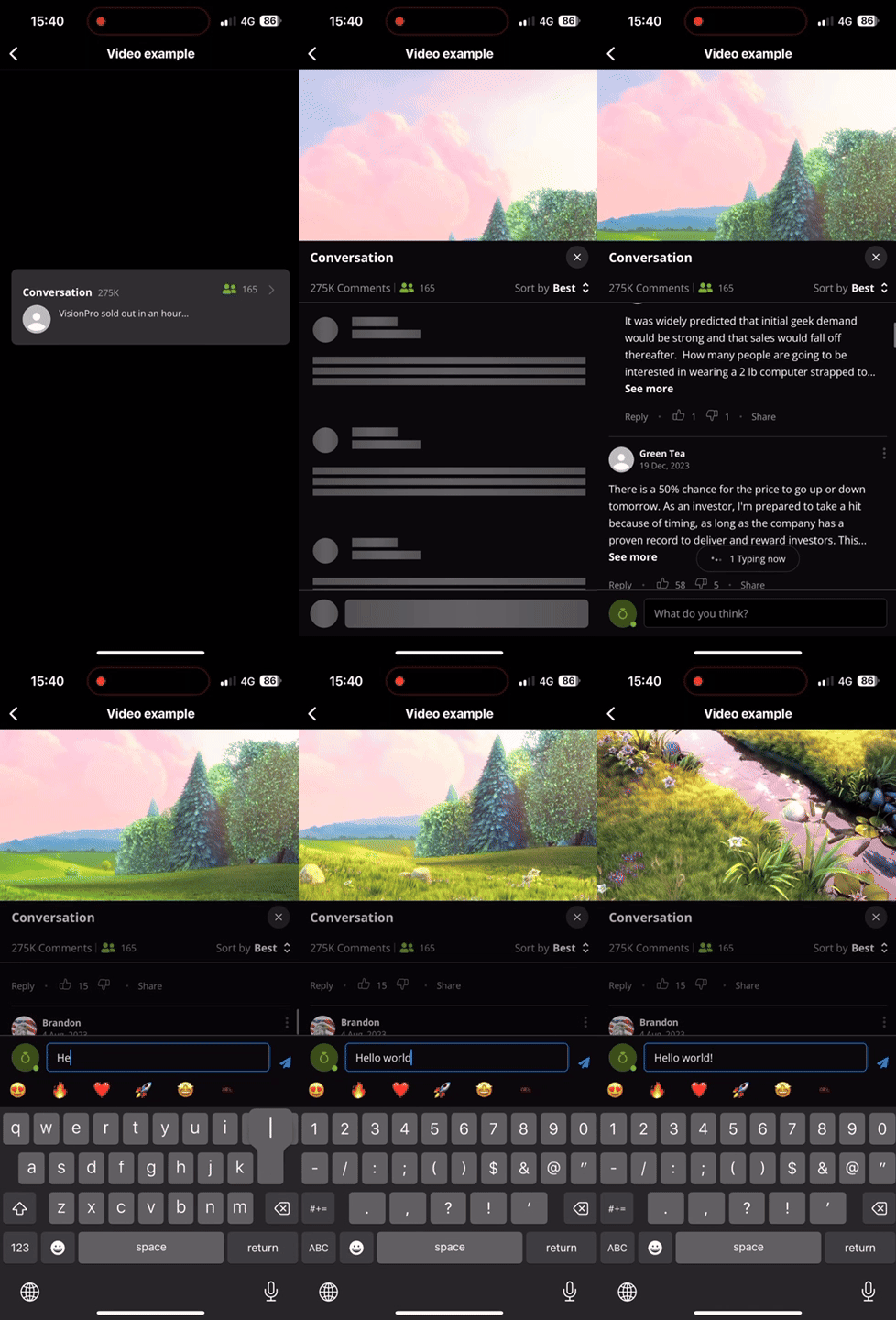
Custom Navigation
Components
The OWUIComponents protocol provides the primary interface for adding Conversation experiences to your iOS app. It offers methods to display a pre-conversation preview, present a full conversation, or retrieve a conversation view controller for custom embedding.
Migrating from Flows & Views?See the migration guide for a mapping from the deprecated
OWUIFlows/OWUIViewsAPIs toOWUIComponents.
Each method is available in both async/await and completion-handler variants.
public protocol OWUIComponents {
    /// Creates a pre-conversation view that shows the beginning of the conversation
    /// and handles opening the full conversation.
    func getPreConversation(
        postId: OWPostId,
        article: OWArticleProtocol = OWArticle(),
        conversationNavigation: OWConversationNavigationMode = .fullScreen,
        additionalSettings: OWAdditionalSettingsProtocol = OWAdditionalSettings(),
        callbacks: OWActionsCallbacks? = nil
    ) async throws -> UIView

    /// Presents the full conversation over an existing view controller
    func openConversation(
        postId: OWPostId,
        article: OWArticleProtocol = OWArticle(),
        route: OWConversationRoute = .none,
        presentationalMode: OWPresentationalMode,
        additionalSettings: OWAdditionalSettingsProtocol = OWAdditionalSettings(),
        callbacks: OWActionsCallbacks? = nil
    ) async throws

    /// Creates a full conversation view controller that can be presented over part of the screen
    func getConversation(
        postId: OWPostId,
        article: OWArticleProtocol = OWArticle(),
        route: OWConversationRoute = .none,
        additionalSettings: OWAdditionalSettingsProtocol = OWAdditionalSettings(),
        callbacks: OWActionsCallbacks? = nil
    ) async throws -> UIViewController

    /// Creates a reactions view for the given post
    func getReactions(
        postId: OWPostId,
        themeName: String = "default"
    ) async throws -> UIView
}
public protocol OWUIComponents {
/// Creates a pre-conversation view that shows the beginning of the conversation
/// and handles opening the full conversation.
func getPreConversation(
postId: OWPostId,
article: OWArticleProtocol = OWArticle(),
conversationNavigation: OWConversationNavigationMode = .fullScreen,
additionalSettings: OWAdditionalSettingsProtocol = OWAdditionalSettings(),
callbacks: OWActionsCallbacks? = nil,
completion: @escaping OWViewCompletion
)
/// Presents the full conversation over an existing view controller
func openConversation(
postId: OWPostId,
article: OWArticleProtocol = OWArticle(),
route: OWConversationRoute = .none,
presentationalMode: OWPresentationalMode,
additionalSettings: OWAdditionalSettingsProtocol = OWAdditionalSettings(),
callbacks: OWActionsCallbacks? = nil,
completion: @escaping OWDefaultCompletion
)
/// Creates a full conversation view controller that can be presented over part of the screen
func getConversation(
postId: OWPostId,
article: OWArticleProtocol = OWArticle(),
route: OWConversationRoute = .none,
additionalSettings: OWAdditionalSettingsProtocol = OWAdditionalSettings(),
callbacks: OWActionsCallbacks? = nil,
completion: @escaping OWViewControllerCompletion
)
/// Creates a reactions view for the given post
func getReactions(
postId: OWPostId,
themeName: String = "default",
completion: @escaping OWViewCompletion
)
}Accessing OWUIComponents
let components: OWUIComponents = OpenWeb.manager.ui.componentsMethods
getPreConversation()
Creates a pre-conversation view that shows the beginning of the conversation and handles opening the full conversation according to the specified conversationNavigation mode.
The pre-conversation is the recommended entry point for adding a Conversation to an article page. It displays a preview of the conversation (customizable via additionalSettings) and automatically navigates to the full conversation when tapped.
let components = OpenWeb.manager.ui.components

do {
    let preConversationView = try await components.getPreConversation(postId: "somePostId")
    // Add preConversationView as a subview
} catch {
    // Handle error
}
let components = OpenWeb.manager.ui.components
components.getPreConversation(postId: "somePostId") { result in
switch result {
case .success(let preConversationView):
// Add preConversationView as a subview
case .failure(let error):
// Handle error
}
}Navigation modes
The conversationNavigation parameter controls how the full conversation opens when the user taps the pre-conversation view:
let view = try await components.getPreConversation(
    postId: "somePostId",
    conversationNavigation: .fullScreen
)
let view = try await components.getPreConversation(
postId: "somePostId",
conversationNavigation: .sheet
)let view = try await components.getPreConversation(
postId: "somePostId",
conversationNavigation: .push
)let view = try await components.getPreConversation(
postId: "somePostId",
conversationNavigation: .custom(callbacks: { callbackType, postId in
switch callbackType {
case .openConversationFlow(let route):
// Navigate to the full conversation manually
}
})
)openConversation()
Presents the full conversation over an existing view controller. This is the recommended way to show a full conversation..
let components = OpenWeb.manager.ui.components

try await components.openConversation(
    postId: "somePostId",
    presentationalMode: .present(viewController: self, style: .fullScreen)
)
let components = OpenWeb.manager.ui.components
components.openConversation(
postId: "somePostId",
presentationalMode: .present(viewController: self, style: .fullScreen)
) { result in
switch result {
case .success:
// Conversation presented
case .failure(let error):
// Handle error
}
}Use the route parameter to open the conversation with a specific screen, such as comment creation or a comment thread
openConversation() with comment creation
try await components.openConversation(
    postId: "somePostId",
    route: .commentCreation(type: .comment),
    presentationalMode: .present(viewController: self, style: .pageSheet)
)
openConversation() with comment thread
try await components.openConversation(
    postId: "somePostId",
    route: .commentThread(commentId: "someCommentId"),
    presentationalMode: .push(navigationController: navigationController)
)
getConversation()
Creates a full conversation view controller, allowing the caller to embed it as part of the screen. Use this when the conversation should not cover the whole screen.
let components = OpenWeb.manager.ui.components

let conversationVC = try await components.getConversation(postId: "somePostId")
// Embed conversationVC as needed
let components = OpenWeb.manager.ui.components
components.getConversation(postId: "somePostId") { result in
switch result {
case .success(let conversationVC):
// Present or embed conversationVC
case .failure(let error):
// Handle error
}
}getReactions()
Creates a reactions view that lets readers react to an article with a single tap. See Reactions for full documentation.
let components = OpenWeb.manager.ui.components

let reactionsView = try await components.getReactions(postId: "somePostId")
// Add reactionsView as a subview
let components = OpenWeb.manager.ui.components
components.getReactions(postId: "somePostId") { result in
switch result {
case .success(let reactionsView):
// Add reactionsView as a subview
case .failure(let error):
// Handle error
}
}Enumerations and Structs
OWActionsCallbacks
public typealias OWActionsCallbacks = (OWActionCallbackType, OWViewSourceType, OWPostId) -> VoidOWActionCallbackType
public enum OWActionCallbackType {
    case openPublisherProfile(ssoPublisherId: String, type: OWUserProfileType, presentationalMode: OWPresentationalMode)
    case conversationDismissed
}| Value | Description |
|---|---|
.openPublisherProfile(…) | User tapped a publisher profile. |
.conversationDismissed | The conversation was dismissed. |
OWAdditionalSettings
Defines the settings of each component. See: OWAdditionalSettings
OWConversationNavigationMode
Controls how the full conversation is opened from the pre-conversation view.
public enum OWConversationNavigationMode {
    case present(OWModalPresentationStyle)
    case push
    case custom(callbacks: OWPreConversationActionsCallbacks)

    public static let fullScreen = OWConversationNavigationMode.present(.fullScreen)
    public static let sheet = OWConversationNavigationMode.present(.pageSheet)
}| Value | Description |
|---|---|
.fullScreen | Presents the conversation modally in full screen. |
.sheet | Presents the conversation as a page sheet. |
.present(style) | Presents the conversation modally with a specific OWModalPresentationStyle. |
.push | Pushes the conversation onto the current navigation stack. |
.custom(callbacks:) | Provides a callback so you can handle navigation to the full conversation yourself. |
OWConversationRoute
Flow to open the conversation with.
public enum OWConversationRoute {
    case none
    case commentCreation(type: OWCommentCreationType)
    case commentThread(commentId: OWCommentId)
}| Value | Description |
|---|---|
.none | Opens the conversation normally (default). |
.commentCreation(type:) | Opens the conversation with comment creation. |
.commentThread(commentId:) | Opens the conversation to a specific comment thread. |
OWModalPresentationStyle
public enum OWModalPresentationStyle {
    case fullScreen
    case pageSheet
}
OWPreConversationActionsCallbacks
public typealias OWPreConversationActionsCallbacks = (OWPreConversationActionCallbackType, OWPostId) -> VoidOWPreConversationActionCallbackType
public enum OWPreConversationActionCallbackType {
    case openConversationFlow(route: OWConversationRoute)
}| Value | Description |
|---|---|
.openConversationFlow(route:) | The user tapped the pre-conversation to open the full conversation. The route indicates which screen to open. |
OWPresentationalMode
Manner in which the full conversation view is presented or pushed.
public enum OWPresentationalMode {
    case present(viewController: UIViewController, style: OWModalPresentationStyle = .pageSheet)
    case push(navigationController: UINavigationController)
}| Value | Description |
|---|---|
.present(viewController:style:) | Presents modally over the given view controller with the specified style. |
.push(navigationController:) | Pushes onto the given navigation controller's stack. |
OWViewCompletion
public typealias OWViewCompletion = (Result<UIView, OWError>) -> VoidOWViewControllerCompletion
public typealias OWViewControllerCompletion = (Result<UIViewController, OWError>) -> VoidOWViewSourceType
public enum OWViewSourceType {
    case preConversation
    case conversation
    case commentCreation
}| Value | Description |
|---|---|
.preConversation | The event originated from the pre-conversation view. |
.conversation | The event originated from the conversation view. |
.commentCreation | The event originated from comment creation. |
Updated 3 months ago