
In Conversation Polls ᴺᴱᵂ
Let staff ask a question and readers answer it inside the Conversation
A poll is a comment. Staff members attach a single-choice or multiple-choice poll while writing a comment, and readers answer it in place with a single tap — a lightweight way to take part in a thread without writing a full comment.
Polls need no integration code. Once the feature is enabled for your spot config (mobile-sdk.disable_poll_button is not true), they appear wherever the Conversation already does — there is no separate view or API to add.
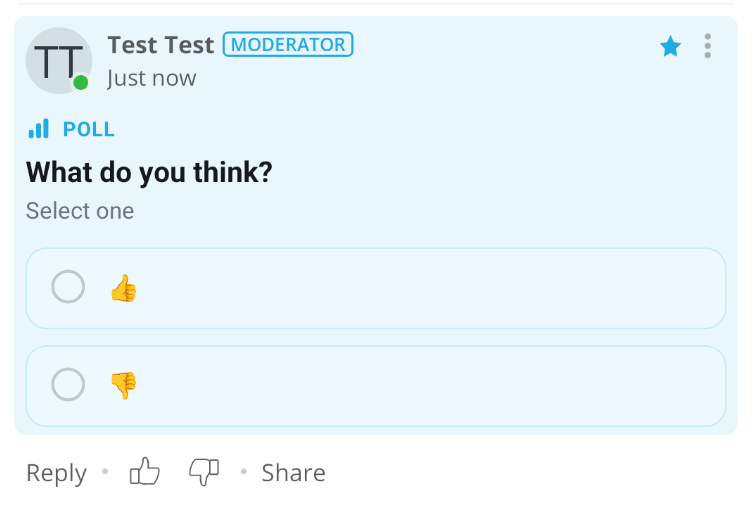
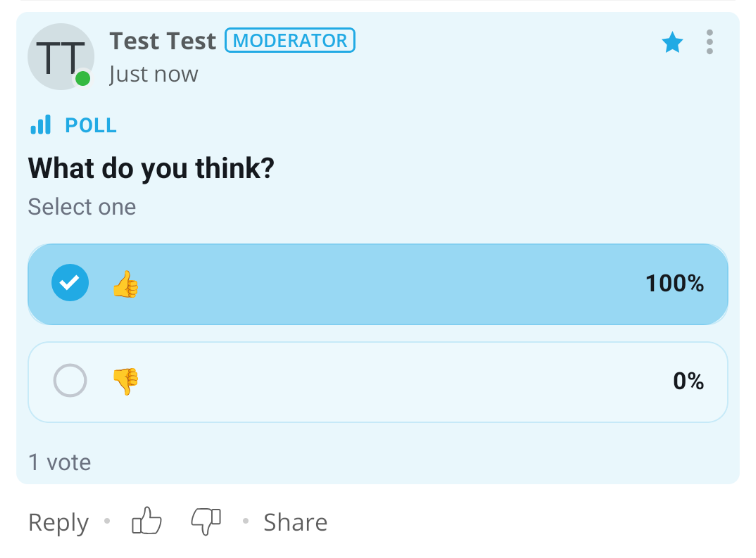
Poll creation is available only in the floating comment composer.
SDK Version Compatibility
Polls are available starting from OpenWeb Android SDK version 3.3.0.
Creating a poll
Poll creation is limited to staff. In the floating comment composer, tapping the (+) action button reveals a Create poll option. The option appears only when all of these hold:
- The signed-in user is an admin, super admin, moderator, or journalist
- Polls are enabled for your spot
- The user is writing a top-level comment — polls cannot be attached to replies
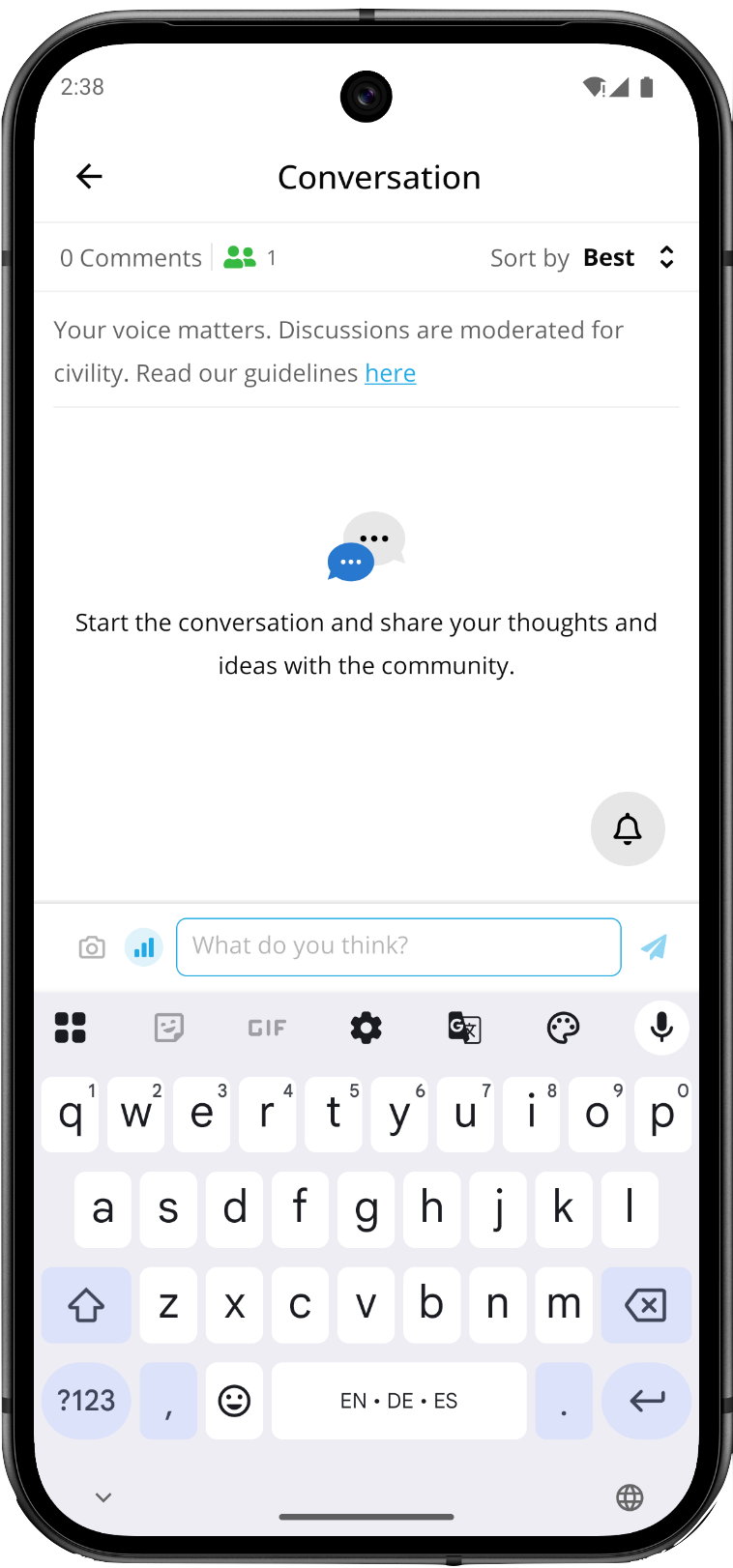
Readers without a staff role never see the option. They can still vote on any poll.
A poll consists of a question and its options:
- Question — required, up to 250 characters.
- Options — text only, minimum 2 and maximum 4, at least two of them filled in.
- Allow multiple answers — off by default. When off, readers pick exactly one option; when on, they may pick several.
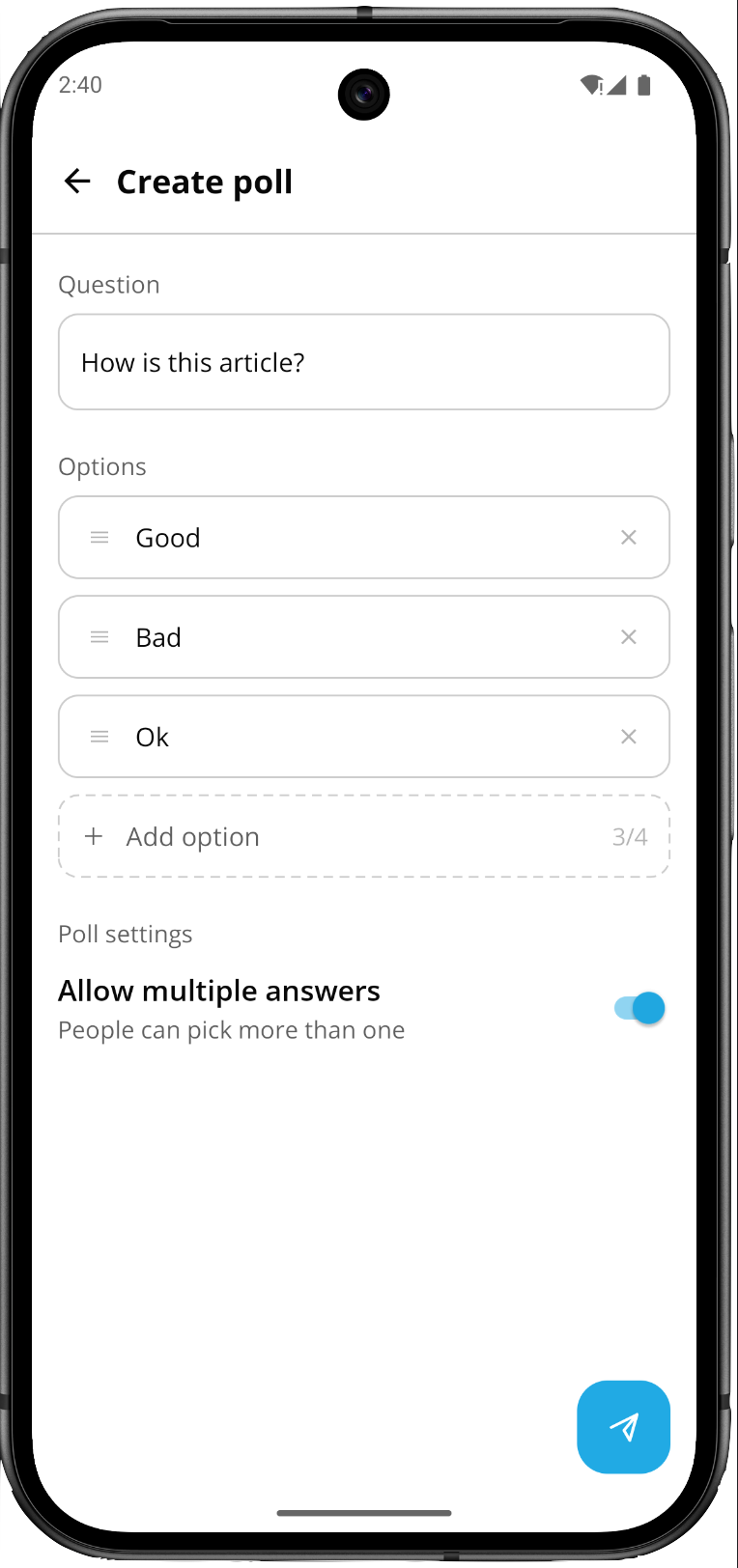
Posting publishes the poll as a top-level comment, subject to the same moderation rules as any other comment.
Poll lifecycle
- Polls cannot be edited. Once posted, neither the question nor the options can be changed — this protects the integrity of votes already cast. The Edit action does not appear in the menu for a poll comment.
- Polls can be deleted by their author, through the standard comment deletion action.
- Polls run indefinitely. There is no expiration timer and no way to close voting.
- Polls appear in user profiles alongside the author's other comments.
Voting and results
Readers vote by tapping an option. In a single-choice poll the selection replaces any previous one; in a multiple-choice poll options toggle independently.
Who can vote
Voting follows the same authentication rule as liking a comment, and introduces no separate setting:
- If your spot allows guests to like, guests vote immediately without signing in.
- Otherwise, tapping an option opens the standard registration/login screen. Once the reader signs in, their vote is submitted.
Updated 20 days ago